
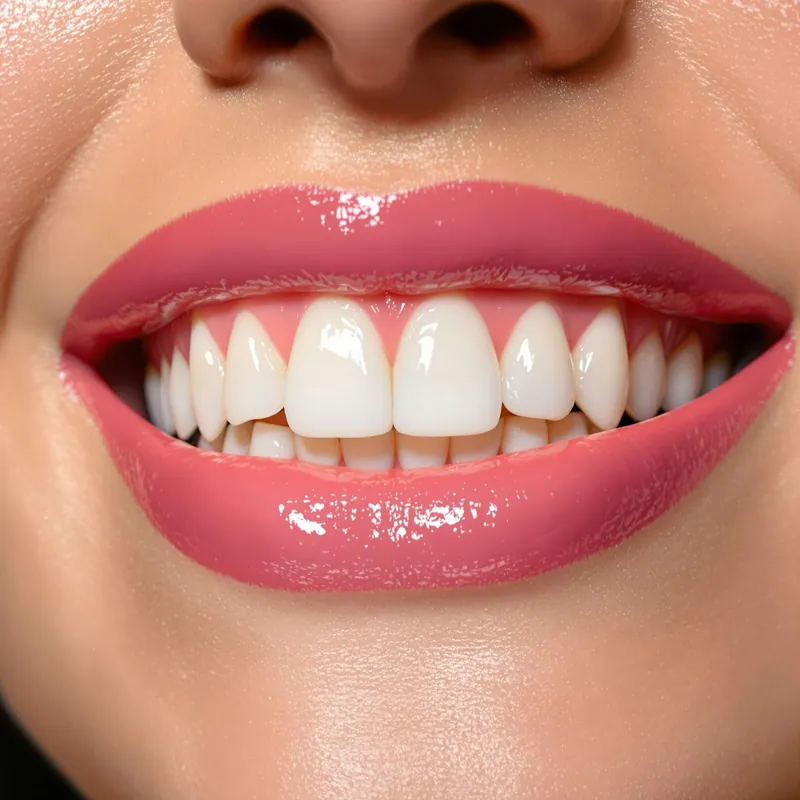
A scan tells us the shape of the case. A good photo tells us how it should look. When we can see the patient's teeth, smile and shade in the same light you saw them, we make fewer assumptions and the restoration is more likely to seat and match on the first visit. You do not need elaborate equipment to send useful photos. You need the right views and a consistent setup.
The essential views
For most esthetic cases, a short series covers what we need:
- Retracted full arch, front view. Teeth together, lips retracted, camera level with the occlusal plane. This shows midlines, gingival levels and overall shade relationships.
- Retracted view with teeth slightly apart. Useful for seeing incisal edges and translucency against a dark background.
- Full smile, lips relaxed. This tells us how much tooth and gingiva the patient shows, and where the smile line falls.
- Close-up with shade tab. The tab held next to the tooth, edge to edge, in the same plane as the facial surface.
- Lateral views. Left and right retracted views help with buccal corridors, premolar display and contour.
- Preparation and stump. After reduction, a close-up of the prepared tooth with a stump shade tab when available.
For veneers and larger smile cases, a few extra views of the face at rest and in a natural smile help us judge proportions. Our veneers work in particular benefits from these.
Shade tabs in the same plane
The most common photo problem we see is a shade tab held in front of or behind the tooth. When the tab is tilted or closer to the camera, it catches light differently and the comparison is no longer reliable. Hold the tab with its facial surface in the same plane as the tooth's facial surface, edge to edge, with the tab's label visible in the frame. Photograph more than one tab if you are deciding between shades. Seeing the tooth between two options tells us a great deal.
Lighting and white balance
Color in a photo is only as accurate as the light it was taken in. A few habits make a large difference:
- Use the same light source for every shade photo, ideally a flash or a dedicated dental light rather than mixed room light.
- Set a fixed white balance instead of leaving it on automatic. Automatic settings shift from shot to shot.
- Include a gray card or a neutral reference in at least one frame, so we can calibrate on our end.
- Avoid overexposure. A washed-out photo loses the detail in incisal translucency and surface texture.
Take shade photos early in the appointment, before the teeth dehydrate. Dry teeth look lighter and more opaque than they are.
Cross-polarized photos
A cross-polarizing filter removes surface reflections and glare. What remains is a clearer view of the internal color, chroma and characterization of the tooth. These images are especially useful for difficult anterior shades, single centrals and cases with white spots or translucent incisal halos. They work best alongside a standard photo, since the standard image still shows surface luster and texture.
Keep the setup consistent
Consistency matters more than any single setting. If your office uses the same camera settings, distance, light and retractors for every case, we learn how your photos translate to the mouth. Consider writing a short protocol and keeping it with the camera so every team member shoots the same way.
Sending photos to the lab
Send photos at full resolution. Compressed images sent through some messaging apps lose color accuracy and detail. Label files clearly with the patient name or case number and the view, and attach them to the case submission. If you are sending digital scans, include the photos in the same email to dentalcreationscad@gmail.com so everything stays together. Our page on our digital dental lab workflow explains how we receive files.
For cases where photos still leave questions, a custom shading consultation at our lab or in your office is often the next step.
Questions about your setup
If you would like feedback on your photo protocol, call us at 781.853.0777, or submit a case online with your photos attached.
Questions about a case?
Our technicians are glad to talk through materials, shade or design before you send it. Call 781.853.0777 or email ron@dentalcreations.net.
Send a case