A digital implant impression is only as accurate as the scan body it captures. The scan body tells our software exactly where the implant sits and how it is oriented. If the scan body is not fully seated, is scanned poorly, or is matched to the wrong library, the restoration can be designed to the wrong position. Most implant misfits we see trace back to one of these steps.
What a scan body does
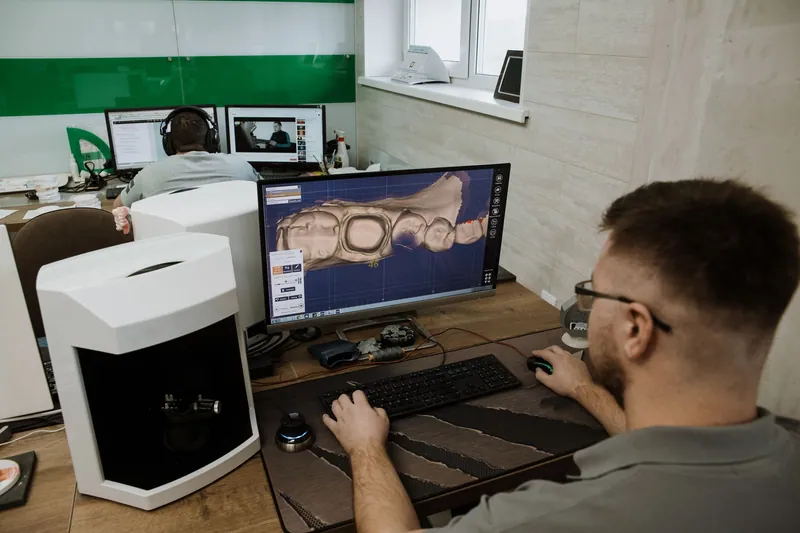
A scan body is a precise part that attaches to the implant or to a multi-unit abutment. Its shape is known to the design software. When we align the scanned scan body to its digital library file, the software calculates the implant position, depth and angle. Everything we design afterward, from the abutment to the crown, is built on that calculation.
That is why small errors matter. A scan body that is slightly lifted or rotated will move the virtual implant with it.
Seating and verifying the scan body
Before you scan, take a moment to confirm the scan body is seated correctly:
- Clean the implant or abutment connection so no tissue or debris sits between the parts
- Seat the scan body fully and tighten it as directed by the implant or scan body manufacturer
- Confirm seating, often with a radiograph, especially when the platform sits below the tissue
- Check that the scan body is not touching adjacent teeth or the opposing arch
Scan bodies are precision parts. Follow the manufacturer's instructions for use for reuse, cleaning and handling, and replace a scan body that looks worn or damaged.
Scanning technique around scan bodies
Scan bodies can be harder to capture than natural teeth. A few habits help:
- Scan the arch first, then the scan body. Many scanners let you capture the soft tissue profile before placing the scan body, which gives us an emergence profile to work from.
- Capture all surfaces. Make sure the top and the flat or indexed surfaces of the scan body are fully recorded with no gaps.
- Avoid reflections and moisture. Keep the area dry and follow your scanner's guidance on technique for reflective parts.
- Include adjacent teeth. Good capture of the neighboring teeth helps the software place the scan body accurately in the arch.
- Review the scan. Look for holes, distortion or doubled surfaces around the scan body before you send.
If you are new to sending digital work, our post on sending digital scans to a dental lab covers the basics.
Matching the correct library and system
The scan body must be matched to the correct library file for its implant system and platform. A scan body that looks similar but belongs to a different system, or a different size within the same system, will not align correctly. The result can be a restoration that does not seat.
On every implant case, please tell us:
- The implant system and manufacturer
- The platform or diameter
- The connection type
- The scan body brand and part, if you know it
- Whether the scan is at the implant level or on a multi-unit abutment
If you are unsure of any of these, a photo of the implant packaging label or the surgical record is very helpful. Our prescription form includes space for these details.
Common errors that cause misfits
The issues we see most often are:
- A scan body not fully seated, or seated on debris or tissue
- The wrong scan body for the implant system or platform
- Incomplete capture of the scan body surfaces
- Missing or incorrect implant details on the Rx
- An inaccurate bite or opposing scan, which affects occlusion more than fit
When something does not line up during design, we stop and call. We would rather confirm the details than build to a guess.
Planning the restoration
Once we have a clean scan and the correct information, we can design a screw-retained or cement-retained restoration, and a custom abutment when the case calls for it. Learn more about our implant restorations and custom abutments.
Send your next implant case
For questions about scan bodies or a specific system, call us at 781.853.0777 or submit a case online.
Questions about a case?
Our technicians are glad to talk through materials, shade or design before you send it. Call 781.853.0777 or email ron@dentalcreations.net.
Send a case